LevelApp
A company private app for groundwater surveillance
A company private app for groundwater surveillance
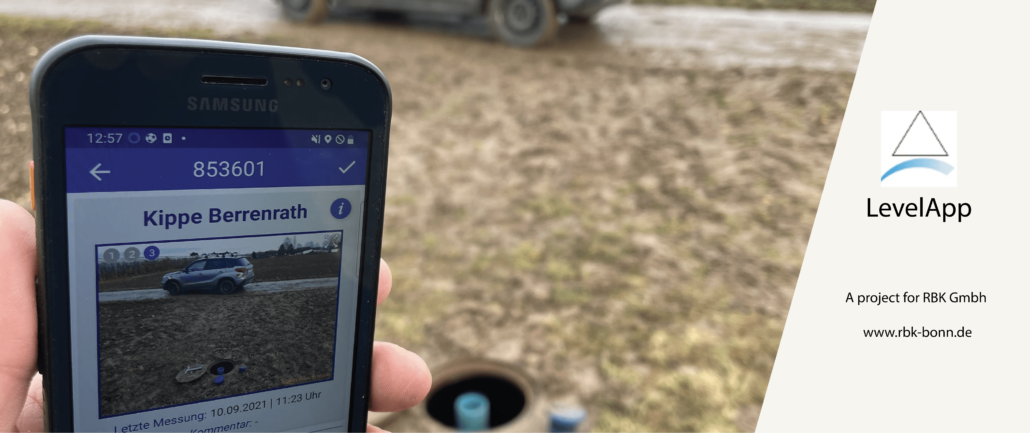
RBK GmbH is responsible for collecting, monitoring and analyzing groundwater data of about 10.000 km2 in Germany. This data is very important for public services, local companies and inhabitants. Therefore, data integrity and the avoidance of data loss is of the highest priority. Keeping all this in mind, I designed and developed a robust Android application that seamless integrates with RBK’s existing infrastructure and helps them in reaching the mentioned goals.
After talking to RBK it became clear that an application was needed which satisfies the following:
The users are the staff of RBK GmbH which drive around in all kinds of weather to collect the precious groundwater data. From young smartphone affine workers to the older generation, the user base is broad. Developing LevelApp I tried to keep this in mind the whole time.
I was in charge of the entire development process. From ideating and user research to the actual development using Android and Java, it was all done by myself.
A first working version had to be released quick, since the app they were using at the time was faulty and buggy and the company couldn’t guarantee future support. Also, what was to keep in mind is that the app had to have an interface to the desktop program which takes care of the analyzing the collected data. This interface was basically a SQL database which gets then passed from the phone to the analytics program.
At first, I tried to get a very clear picture of how the data collecting process is working currently and what are the workers pain points. After personally spending time on site, the picture became very clear.
As this is a company internal application, I looked at the company’s and staff’s pain points separately:
The workers were mostly complaining about:
The company RBK was frustrated about:
With two company representatives, we then started the ideation process. I ended up with a list of ideas, but the whole picture wasn’t quite clear. Since the time and budget was limited (and quite frankly I was at the beginning of my developer career), we decided that I would just start developing a prototype and then go from there. A couple of my first wireframes can be seen here:
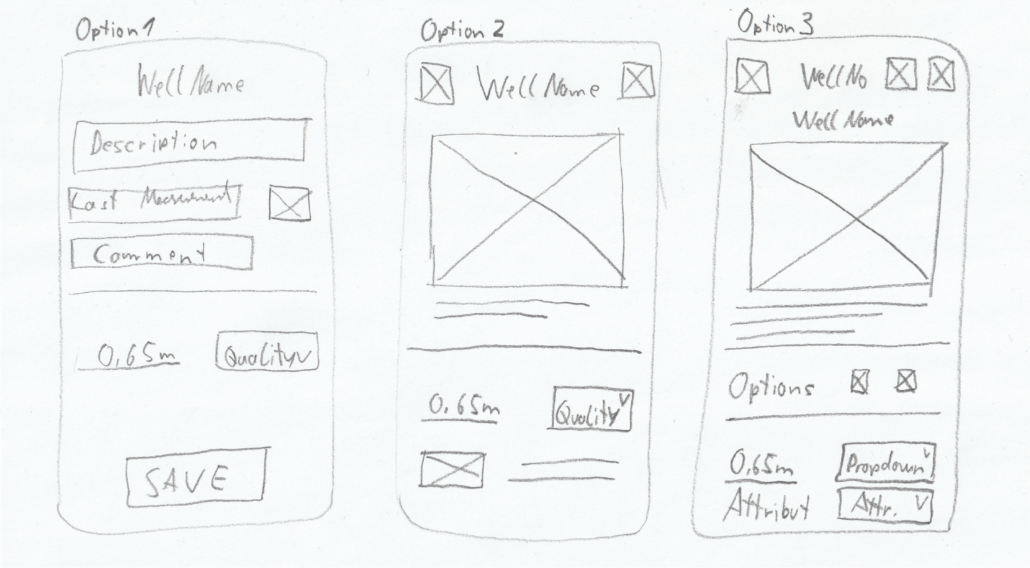
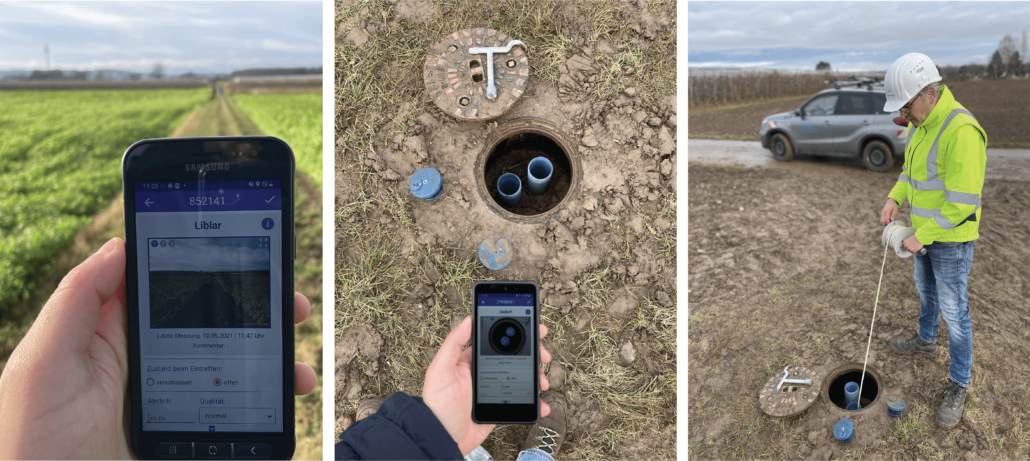
As it can be seen in the wireframes, I got heavily inspired by wanted posters and the profiles on social media. Just that this time it is a well which workers are looking for, but the reason behind is the same: We humans identify and (most importantly) remember things best, when you connect an image with a name/description. Also, a huge benefit of having an image centered app is that it is also guiding you to the well, and you don’t have to solely rely on a map. The trees in the background, the street or any other surrounding detail are very helpful in finding the well. This in return makes it easier for new workers to find wells, and therefore they save a lot of time, especially in the beginning.
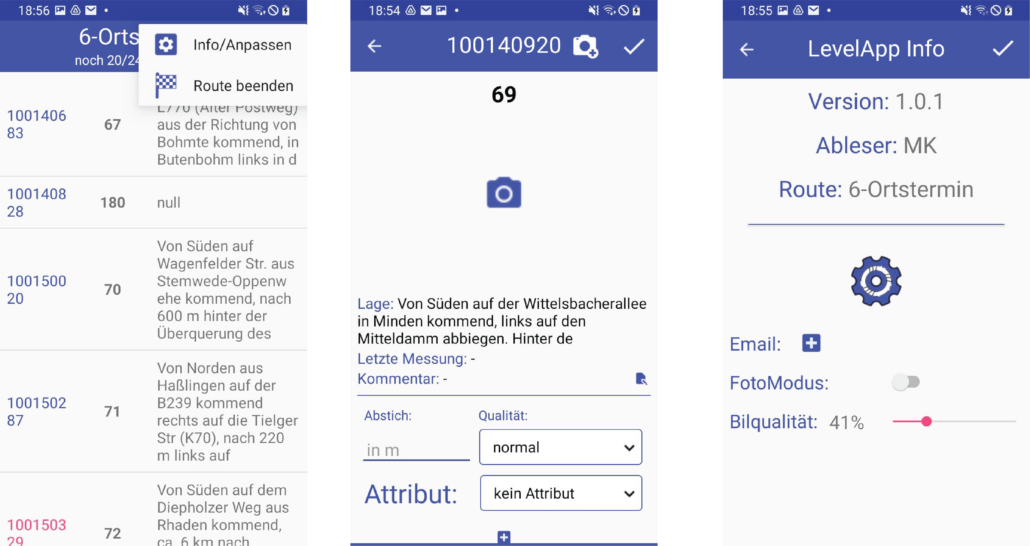
The first prototype had very limited functionality, mostly just measuring the wells and having a few security mechanisms like calculating an acceptable tolerance range. Here you can see a few screenshots of the first version:
The most important features which were added during further development:
Here is a quick demo of version 2.4.0 (demo only shows a very small selection of features):
I can proudly say that this app was a big success and RBK GmbH stands out with this app. The main benefits are:
Additionally, the biggest benefits for workers are: